
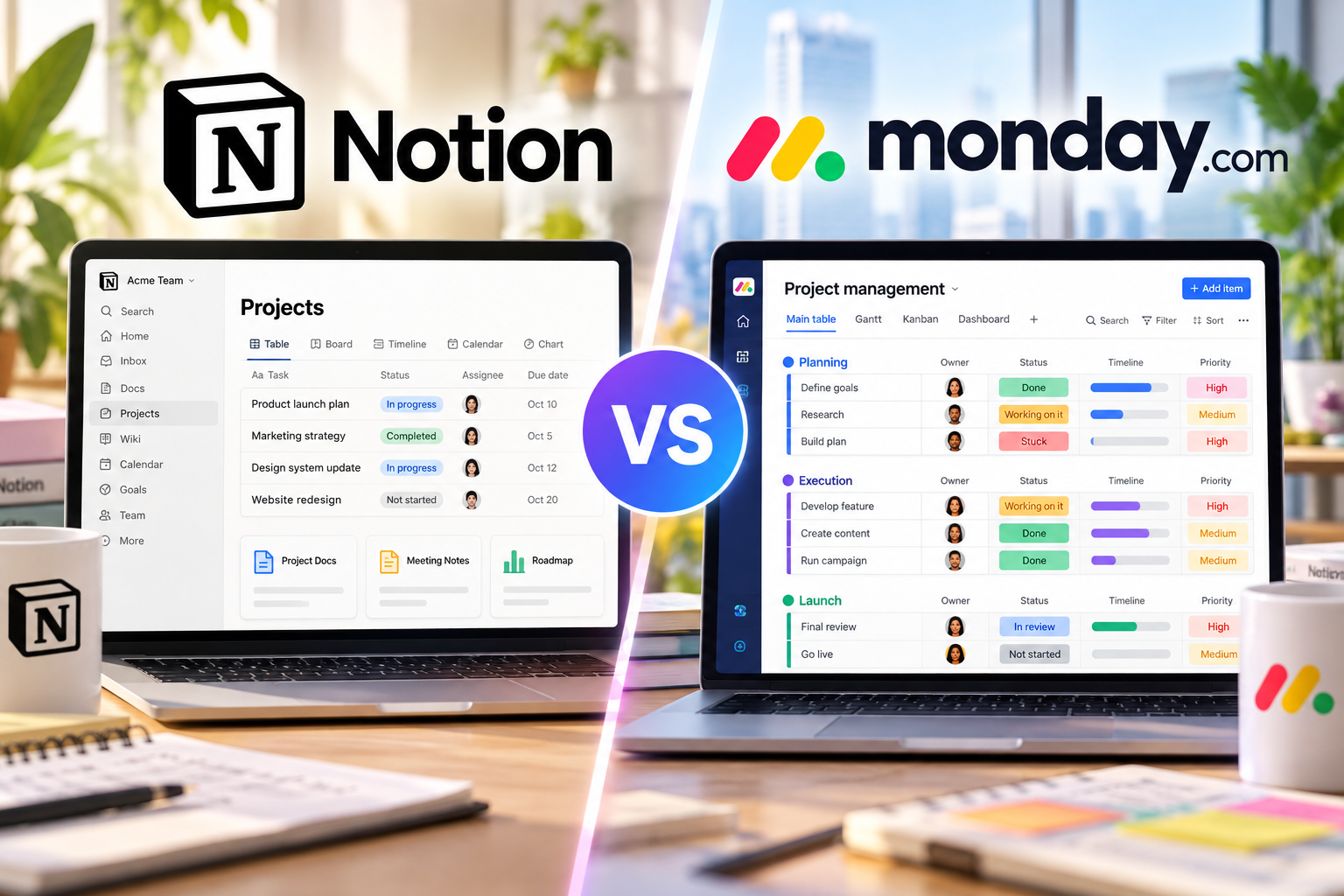
Notion vs monday.com is a comparison between two flexible work platforms that approach team productivity from different directions. Notion combines docs, wikis, databases, projects, and AI in a connected workspace, while monday.com puts more emphasis on structured boards, repeatable workflows, dashboards, automation, and cross-project visibility.
The right choice depends less on which platform has more features and more on how your team actually works. If documentation and knowledge need to live beside projects, Notion may fit naturally. If your team needs standardized processes, clear ownership, reporting, and operational visibility, monday.com may require less customization to reach that structure.
Quick verdict: Consider Notion when you want a highly customizable workspace that connects knowledge and project execution. Consider monday.com when you want a more structured work-management system for running repeatable processes and tracking execution across teams.
Last updated: October 2026. Features and pricing were checked against official Notion and monday.com resources. SaaS pricing and plan limits can change, so verify the vendor pricing pages before purchasing.
Notion vs monday.com at a Glance
| Category | Notion | monday.com | Key Difference |
|---|---|---|---|
| Core approach | Connected workspace | Structured work management | Notion starts with flexible pages and databases; monday.com typically starts with boards and workflows |
| Documentation | Deeply integrated docs and wikis | Workdocs connected to workflows | Notion places more emphasis on knowledge management |
| Task management | Database-based and highly configurable | Board-based and process-oriented | monday.com provides more structure out of the box |
| Project views | Table, board, timeline, calendar and more | Board views, timeline, Gantt and other views depending on plan | Both provide multiple ways to visualize work |
| Reporting | Charts and customizable dashboards | Multi-board dashboards and reporting | monday.com is designed more explicitly around operational reporting |
| Automation | Database automations and workflow automation | Board automations, integrations and AI workflows | Both automate work, but monday.com emphasizes process automation |
| Knowledge management | Major strength | Available through workdocs | Notion is more naturally suited to wiki-style knowledge systems |
| Customization | Very high | High, within a more structured model | Notion gives teams more freedom to design their own system |
The Biggest Difference Between Notion and monday.com
The most important difference is not a particular feature. It is the way each platform expects teams to organize work.
Notion is built around pages and databases that can be connected into a larger workspace. A project can contain tasks, specifications, meeting notes, research, decisions, roadmaps, and supporting documentation without forcing the team to separate knowledge from execution.
This makes Notion particularly useful when project context matters as much as task status. Product teams, content teams, startups, consultants, and knowledge-heavy organizations can create systems that reflect their own processes rather than adapting everything to a predefined project structure.
You can see this approach in our Notion project management guide.
monday.com takes a more operational approach. Most work starts on a board, where items represent tasks or other work, groups organize those items, and columns track ownership, dates, status, priority, numbers, and other information.
Boards can then feed views, dashboards, forms, automations, integrations, and higher-level reporting. This makes monday.com especially useful when a team wants work to move through a clear and repeatable process.
For a deeper look at that workflow, see our monday.com project management guide.
Ease of Use and Setup
Notion
Notion can look simple when you first open it because a page starts almost like a blank document. That simplicity is also where some of the setup work begins.
Teams can build databases for projects and tasks, add properties, create filtered views, connect related databases, build templates, and organize dashboards. This flexibility is powerful, but a team may need to decide how the workspace should operate before it becomes consistent.
Templates can reduce the initial setup effort, but highly customized Notion workspaces still require governance. Without naming rules, database standards, or clear ownership, flexibility can eventually create duplicate pages and inconsistent systems.
monday.com
monday.com gives users more visible structure from the beginning. Teams usually create or select a board, define columns and statuses, assign owners, and start moving work through the process.
Templates help teams create common workflows for projects, marketing, operations, HR, product development, and other functions.
This can make monday.com easier to standardize across teams, although complex board structures, automations, and dashboards still require planning.
Practical difference: Notion gives you more freedom to design the system. monday.com gives you more workflow structure before you design it.
Task and Project Management
Notion has evolved well beyond simple note-taking. Its project tools support tasks and subtasks, assignees, due dates, status properties, dependencies, database views, progress tracking, forms, charts, and workflow automation.
A major advantage is that every database item can also function as a full page. A task can therefore contain detailed briefs, research, embedded files, meeting context, checklists, and other supporting material.
This works well when a team wants the information about the work and the work itself to remain closely connected.
monday.com focuses more directly on execution. Boards provide a structured location for tasks and processes, while views and dashboards help teams monitor schedules, dependencies, workload, progress, and performance.
For teams managing many similar projects or recurring operational processes, that structure can reduce the amount of system design required.
The tradeoff is that teams whose workflows revolve heavily around long-form documentation may find themselves using monday workdocs alongside boards rather than having documentation serve as the primary organizational layer.
Docs, Wikis and Knowledge Management
This is one of the clearest differences in the comparison.
Notion was designed around flexible pages, so documentation is not an extra layer attached to project management. It is part of the same workspace.
Teams can build company wikis, SOP libraries, meeting-note systems, product specifications, research databases, onboarding resources, and project documentation while linking those resources directly to projects and tasks.
This is useful for organizations trying to reduce the separation between a knowledge base and a project-management system.
monday.com also supports documentation through monday workdocs. Teams can create planning documents, meeting notes, and other collaborative content and connect them with board-based work.
The difference is emphasis: monday.com remains primarily oriented toward managing structured work, while Notion treats knowledge and documentation as core building blocks of the workspace.
Views, Dashboards and Reporting
Both platforms allow teams to view the same underlying work in different ways.
Notion databases can be displayed through views such as tables, boards, calendars, and timelines. Charts can visualize database information and can be combined into dashboards alongside other workspace content.
This creates flexible reporting pages where written context, project data, charts, decisions, and documentation can coexist.
monday.com places stronger emphasis on operational dashboards. Teams can combine information from boards and use dashboards to monitor project progress and performance across multiple initiatives.
That can be useful for managers who need a higher-level view without opening each project individually.
If reporting is primarily about communicating context around the data, Notion’s page-based model can be convenient. If reporting is primarily about standardized operational visibility across multiple workflows, monday.com’s dashboard model may be easier to align with that requirement.
Automation and Integrations
Notion supports database automations that can reduce repetitive work. Its project environment can automate task flows, database entries, document-related processes, and other actions. Forms can also collect information and feed it into databases and workflows.
Notion also connects with tools such as Slack, GitHub, Jira, and Figma, allowing teams to bring external work and context into the workspace.
monday.com builds automation more directly into its board-based workflow model. Changes on a board can trigger actions, while integrations connect monday.com with external systems.
For example, a team might create a workflow where a status change triggers a notification, moves work to another stage, assigns an owner, or starts another automated process.
monday.com also supports AI workflows, adding AI-powered analysis, generation, and routing to automated processes.
The important question is therefore not simply which product has automation. Both do. The better question is whether your automation starts from flexible databases and workspace content or from structured operational workflows.
AI Features in 2026
AI is becoming a larger part of both products, but it follows each platform’s broader design.
Notion integrates AI with the workspace where teams already store documents, databases, projects, and organizational knowledge. Current Business features include Notion Agent, AI Meeting Notes, and Enterprise Search capabilities across connected applications.
Within project workflows, Notion also uses AI for activities such as generating project content and automatically categorizing or filling database information.
monday.com integrates AI into its work-management system through features such as AI workflows, AI blocks, Sidekick, and other AI-powered capabilities. The platform’s current pricing model also uses AI credits across paid plans.
For buyers, this means AI should not be evaluated as a single checkbox. Consider where the AI will get its context, what tasks it can act on, what plan is required, and whether usage is subject to credits or other limits.
Notion vs monday.com Pricing
Pricing should be compared carefully because plan structure, seat requirements, AI usage, and feature limits can materially change the real cost.
| Platform | Plan | Listed Price | Billing / Notes | Typical Fit |
|---|---|---|---|---|
| Notion | Free | $0 | Per seat/month | Individuals and basic workspace use |
| Notion | Plus | $10 | Per seat/month on current pricing page | Small teams needing expanded collaboration |
| Notion | Business | $20 | Per seat/month on current pricing page | Growing teams needing advanced AI and administration |
| Notion | Enterprise | Contact sales | Custom | Organizations with advanced control requirements |
| monday.com | Free | $0 | Up to 2 seats | Very small teams or evaluation |
| monday.com | Basic | $9 | Per seat/month, billed annually | Basic structured work tracking |
| monday.com | Standard | $12 | Per seat/month, billed annually | Teams needing broader workflow capabilities |
| monday.com | Pro | $19 | Per seat/month, billed annually | Teams with more advanced operational requirements |
| monday.com | Enterprise | Contact sales | Custom | Larger organizations |
At the time of this update, monday.com also lists monthly billing at $12 per seat for Basic, $14 for Standard, and $24 for Pro. Its paid work-management plans generally require at least three seats, so a simple per-seat comparison does not always represent the final subscription cost.
Notion’s current pricing page lists Free at $0, Plus at $10, and Business at $20 per member per month. Notion also advertises savings for annual plans, so check the billing selector and current checkout price before making a purchasing decision.
Pricing changes frequently in SaaS. Always confirm current prices, minimum seat requirements, AI limits, and feature availability on the official pricing pages.
Free Plan Comparison
Both products offer free access, but the free plans are designed differently.
Notion’s Free plan can be particularly useful for individuals building personal project systems, documentation, databases, and task trackers. However, collaboration with multiple members introduces limitations, and file uploads are limited compared with paid plans.
monday.com’s Free plan supports up to two seats and currently includes up to three boards and three docs. That makes it useful for testing the board-based workflow, but it is more restrictive for teams that need to scale beyond a very small setup.
Do not choose solely on the existence of a free plan. Build a representative workflow in each product and check whether the features your team actually needs remain available at the plan level you expect to purchase.
Which Tool Fits Different Teams?
Consider Notion if your team:
- Maintains a large amount of documentation and institutional knowledge.
- Wants project tasks and project context in the same workspace.
- Prefers to design its own workflow structure.
- Uses databases for content calendars, roadmaps, research, CRM-like systems, or internal tools.
- Wants a company wiki and project workspace closely connected.
- Is comfortable investing time in workspace architecture and templates.
Consider monday.com if your team:
- Runs repeatable operational workflows.
- Needs clear ownership, status tracking, and standardized processes.
- Uses dashboards heavily for management reporting.
- Manages requests and intake through forms.
- Needs automation tied closely to workflow status and board activity.
- Wants teams to begin with a more structured project-management model.
Common Tradeoffs
Notion’s flexibility can become maintenance work. A well-designed workspace can be extremely efficient, but unrestricted customization can create duplicate databases, inconsistent naming, and unclear ownership.
monday.com’s structure can create complexity of its own. As organizations add boards, dashboards, automations, integrations, and cross-team workflows, administration and governance become increasingly important.
Documentation versus operational structure is not an absolute choice. Notion now has substantial project-management capabilities, while monday.com provides workdocs and collaboration tools. The difference is where each platform puts the center of gravity.
Pricing needs to be modeled around the actual team. Compare required seats, plan-specific features, automation limits, AI usage, guests, integrations, and reporting requirements rather than comparing only the lowest advertised price.
How to Decide Between Notion and monday.com
- Map your real workflow. Write down how work enters the team, who owns it, how it moves, and how it is completed.
- Identify where project context lives. Determine whether specifications, meeting notes, research, and SOPs need to be deeply connected to tasks.
- Define reporting requirements. Decide whether you need flexible contextual dashboards or standardized cross-project operational reporting.
- List recurring processes. Identify approvals, notifications, assignments, intake, and handoffs that should be automated.
- Build the same sample project in both products. Do not evaluate only the demo workspace.
- Calculate the real subscription cost. Include required seats, the necessary plan, AI usage, and any feature limits.
- Estimate maintenance. Consider who will manage templates, permissions, databases, boards, dashboards, and automation six months from now.
Final Comparison
Notion and monday.com overlap significantly in 2026, but they still approach work management from different starting points.
Notion brings projects into a broader connected workspace where documentation, knowledge, databases, tasks, and AI can live together. This can be valuable when teams want project execution to remain closely connected to the information behind the work.
monday.com organizes work around structured boards, workflows, dashboards, forms, automation, and operational visibility. This can be useful when consistency and repeatable execution across projects or teams are central requirements.
The decision therefore depends on the system your team wants to maintain. Compare how each platform handles your real projects, reporting requirements, documentation, automation, and administration before committing to a paid plan.
For more detail on each platform, read our Notion Review 2026 and monday.com Review 2026.