
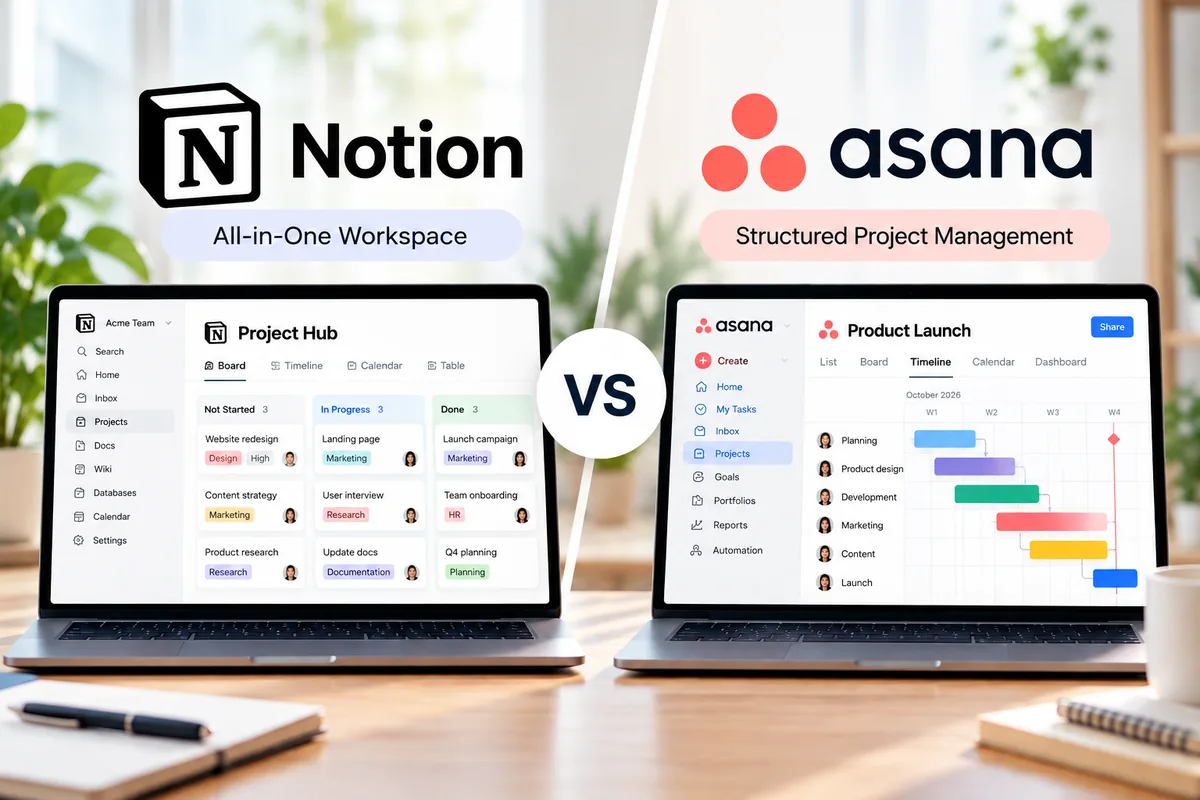
Notion vs Asana is a comparison between two capable work management platforms built around very different ideas. Notion combines projects, tasks, documents, wikis, databases, and knowledge in one flexible workspace. Asana takes a more structured approach, focusing on task ownership, deadlines, project execution, reporting, portfolios, and resource management.
For many teams, the choice is not about which platform has more features. It is about whether your work starts with flexible information and documentation or with structured tasks and project accountability.
In this Notion vs Asana 2026 comparison, we look at project management, ease of use, documentation, views, reporting, automation, AI, pricing, and the types of teams each platform fits best.
Last updated: October 2026. Pricing and features were checked against official Notion and Asana pages. Software plans and AI features can change, so confirm current details before purchasing.
Quick Verdict: Notion vs Asana
Choose Notion if you want projects, documentation, company knowledge, databases, meeting notes, and lightweight task management inside one highly customizable workspace.
Choose Asana if your priority is structured project execution with clear assignees, deadlines, dependencies, reporting, portfolios, goals, and workload management.
Notion is generally more flexible. Asana is generally more structured.
A small content, startup, or knowledge-heavy team may prefer Notion because the same workspace can hold a project roadmap, meeting notes, briefs, databases, and tasks. A growing operations, marketing, or cross-functional team may prefer Asana because project responsibilities and progress are easier to standardize and monitor.
Notion vs Asana at a Glance
| Category | Notion | Asana | Key Difference |
|---|---|---|---|
| Core approach | Flexible connected workspace | Structured work management | Notion emphasizes flexibility; Asana emphasizes execution |
| Task management | Database-based and customizable | Purpose-built task system | Asana is easier to standardize |
| Documents & wikis | Excellent | More project-focused | Notion has the stronger knowledge layer |
| Project views | Multiple database views | List, board, calendar, timeline and Gantt depending on plan | Asana provides a more conventional PM structure |
| Reporting | Charts and customizable database dashboards | Dedicated reporting dashboards and portfolio reporting | Asana is stronger for management reporting |
| Automation | Database and workflow automations | Rules and workflow automation | Both are capable, but Asana is more task-process oriented |
| Portfolio management | Can be built with databases | Dedicated portfolios on Advanced | Asana is stronger for multi-project oversight |
| Free plan | Strong for individuals | Strong for one or two users | Both work well for testing the platform |
| Best fit | Knowledge-heavy and flexible workflows | Structured project and cross-functional work | Depends on how your team organizes work |
The Biggest Difference Between Notion and Asana
The biggest difference is the way each product expects you to organize work.
Notion starts with flexible building blocks. A project can be a database connected to documents, meeting notes, team wikis, goals, content calendars, customer research, or other databases. You can create custom properties, filtered views, relationships, templates, forms, charts, and automations around that information.
This flexibility is one reason Notion can replace several lightweight tools for some teams. The downside is that teams must decide how the workspace should be designed and maintained.
Asana starts with work that needs to be completed. Projects contain tasks, tasks have owners and due dates, and teams can organize that work using lists, boards, calendars, timelines, Gantt charts, custom fields, forms, rules, dashboards, and other project-management features depending on the plan.
This makes Asana more opinionated, but that structure can be useful when many people need to follow the same workflow.
For a deeper look at each platform, see our Notion project management guide and Asana project management guide.
Ease of Use and Setup
Notion
Notion can feel simple when you first open a page, but its flexibility creates a different kind of learning curve.
You can start with a basic task database in minutes. However, building a complete team workspace may involve deciding how projects relate to tasks, which properties to use, how dashboards should be filtered, where documentation belongs, and which templates the team should follow.
This gives experienced Notion users considerable control, but teams without clear workspace standards can end up with duplicated databases, inconsistent properties, and too many pages.
Asana
Asana provides more structure from the beginning. Projects, tasks, assignees, due dates, sections, and project views have clearly defined roles.
That structure can make onboarding easier for teams whose main question is simply: Who is responsible for what, and when is it due?
Advanced configurations still require planning, particularly when you introduce custom fields, rules, forms, portfolios, goals, and reporting. But the underlying work model remains relatively consistent.
Ease-of-use takeaway: Notion is easier to reshape around your organization. Asana is easier to standardize around a repeatable project process.
Task and Project Management
Both products can manage projects, but Asana is more purpose-built for traditional project execution.
Project Management in Notion
Notion databases can include statuses, assignees, dates, priorities, dependencies, subtasks, custom properties, and multiple views. Teams can filter the same information differently for individuals, departments, or project managers.
This works especially well when tasks need to stay close to supporting information. A content team, for example, can connect editorial tasks with briefs, research, meeting notes, publishing calendars, and a knowledge base without leaving the workspace.
The tradeoff is that many project-management systems in Notion need to be designed rather than simply adopted.
Project Management in Asana
Asana gives tasks and projects a more standardized structure. The current Personal plan includes unlimited tasks and projects with list, board, and calendar views for up to two users.
Starter adds capabilities such as Timeline and Gantt views, custom fields, forms, reporting dashboards, templates, and unlimited automations. Advanced moves further into multi-project management with portfolios, goals, resource management, approvals, proofing, and additional planning capabilities.
For teams managing many deadlines, dependencies, stakeholders, and parallel projects, this hierarchy can reduce the amount of system design required.
Project-management advantage: Asana for structured execution; Notion when project data needs to live closely with broader company knowledge.
Docs, Wikis and Knowledge Management
This is one of the clearest differences between the two platforms.
Notion was built around pages and databases, so documentation is not an add-on to the project system. Teams can build company wikis, process documentation, product requirements, meeting notes, research libraries, onboarding material, and project briefs in the same environment as their tasks.
Pages can contain rich content and connect with databases, allowing teams to move between knowledge and execution without maintaining completely separate systems.
Asana supports project descriptions, task details, attachments, comments, status updates, and other contextual information, but its center of gravity remains work management rather than building a broad organizational wiki.
If your team currently uses one tool for project management and another primarily for internal documentation, Notion’s integrated approach may be attractive.
Docs and knowledge advantage: Notion.
Views, Dashboards and Reporting
Notion Views
Notion lets teams display database information in different ways and create dashboards around connected information. Filters and custom properties make it possible to create different views of the same underlying project data.
This is useful when teams want to design dashboards around their own information architecture rather than follow a fixed reporting model.
Asana Reporting
Asana’s reporting is more closely tied to project execution.
Starter includes reporting dashboards, while Advanced adds portfolios and higher-level capabilities for monitoring related projects and goals. Portfolios can provide a consolidated view of multiple initiatives, project health, ownership, status, and relevant metrics.
That becomes increasingly useful as a company moves from managing individual projects to overseeing programs and cross-functional initiatives.
Reporting advantage: Asana for standardized operational reporting and portfolio oversight. Notion is more attractive when you want to construct custom dashboards from flexible databases.
Automation and Workflow Management
Automation matters more as the number of projects and repetitive actions increases.
Notion can automate database workflows and connect forms, database entries, task flows, and other workspace processes. Because these automations operate within Notion’s flexible database environment, they can be useful for editorial pipelines, request systems, lightweight CRM processes, product feedback, and internal operations.
Asana Starter currently includes unlimited automations. Rules can be used to automate assignments, notifications, status changes, and other repetitive steps in a project workflow. Forms can also feed requests directly into structured projects.
Asana’s approach feels more natural when automation revolves around moving work through a defined process. Notion’s approach is attractive when the automated workflow is closely connected to a broader database or knowledge system.
Notion AI vs Asana AI in 2026
AI is becoming increasingly integrated into both platforms, but the surrounding context is different.
Notion’s current Business offering places AI deeply inside the workspace. Its AI capabilities can work with content in Notion and connected sources, while newer agent features are designed to handle more complex, multi-step work. AI Meeting Notes and enterprise search capabilities further connect AI with organizational knowledge.
Free and Plus users receive limited AI trial capabilities rather than the same level of AI access available on higher plans.
Asana is integrating AI into its work-management model. Current paid plans include AI capabilities, with AI Studio credits and AI teammate/request allowances varying by plan. This makes the AI layer particularly relevant to task prioritization, workflow creation, project information, and operational work.
The practical distinction remains similar to the platforms themselves: Notion’s AI has access to a knowledge-centric workspace, while Asana’s AI operates around structured work and its Work Graph.
AI features and usage allowances are changing quickly, so teams should check the current plan pages before choosing a subscription primarily for AI.
Notion vs Asana Pricing in 2026
Pricing should be considered together with the features your team actually needs. The lowest paid tier is not necessarily the tier that supports your intended workflow.
| Platform | Plan | Current Listed Price | Best For |
|---|---|---|---|
| Notion | Free | $0 | Individuals and testing |
| Notion | Plus | $10 per member/month | Small teams and professionals |
| Notion | Business | $20 per member/month | Growing teams needing advanced AI and collaboration |
| Notion | Enterprise | Contact sales | Large organizations requiring advanced security and controls |
| Asana | Personal | $0 | Individuals or teams of up to 2 users |
| Asana | Starter | $10.99/user/month billed annually; $13.49 monthly | Teams needing structured project management |
| Asana | Advanced | $24.99/user/month billed annually; $30.49 monthly | Teams managing portfolios, goals and resources |
| Asana | Enterprise | Contact sales | Organizations requiring enterprise controls |
Prices shown in USD and based on the official vendor pricing pages checked in October 2026. Billing options, AI usage, promotions, taxes, regional pricing, and plan features may change.
Free Plan Comparison
Both platforms offer useful free plans, but the limitations are different.
Notion Free is particularly attractive for individual users. It provides core pages, databases, basic forms and sites, calendar functionality, and trial AI capabilities. Individuals can use unlimited pages and blocks, while collaborative free workspaces have additional limitations.
Asana Personal is free for up to two users under the current plan. It includes unlimited tasks and projects, list, board, and calendar views, storage with a 100 MB maximum per file, status updates, and more than 100 integrations.
If you are an individual building a connected workspace for notes, databases, documents, and projects, Notion Free is particularly compelling.
If one or two people mainly need a conventional task and project tracker, Asana Personal is easier to understand immediately.
Which Tool Is Better for Different Teams?
Choose Notion if:
- You want docs, wikis, databases and projects in one workspace.
- Your team produces a large amount of knowledge or documentation.
- You want to design your own project-management system.
- You need flexible databases that can serve multiple purposes.
- You prefer customizable dashboards and connected information.
- Your projects often depend on briefs, research, notes or internal documentation.
Choose Asana if:
- Your team needs clear task ownership and deadlines.
- You manage many projects with repeatable workflows.
- Dependencies, Timeline or Gantt views are important.
- Managers need standardized dashboards and reporting.
- You need portfolios, goals or resource management.
- You want less freedom in exchange for a more structured project system.
Notion vs Asana for Small Teams
For small teams, the decision depends heavily on the type of work being managed.
A small startup, editorial team, consultancy, design group, or research-heavy organization may get more value from Notion because one workspace can cover internal documentation and project coordination.
A small agency or operational team with recurring client deliverables may prefer Asana if clear responsibilities, due dates, request forms, rules, and reporting matter more than maintaining a comprehensive wiki.
Cost can also change the decision. Compare the plan that contains the features you actually require rather than comparing only the entry-level prices.
Common Tradeoffs
Notion Tradeoffs
Notion’s greatest strength can also become a weakness. Flexibility means teams can build excellent systems, but they can also build unnecessarily complicated ones.
Without naming conventions, templates, database ownership, and workspace governance, information can become difficult to find.
Asana Tradeoffs
Asana requires less system design for conventional project management, but teams that want a deeply integrated documentation and knowledge environment may still use another tool alongside it.
Some of Asana’s more valuable management capabilities also sit on higher paid tiers, particularly when portfolios, goals, resource management, and more advanced cross-project oversight become important.
How to Decide Between Notion and Asana
- Identify where your work starts. Does it begin with information and documentation, or with assigned tasks and deadlines?
- Map your existing tools. Determine whether you are trying to replace only a project manager or several knowledge and collaboration tools.
- List required PM features. Check whether you need Gantt charts, dependencies, portfolios, goals, workload management, forms, or advanced reporting.
- Evaluate documentation needs. Decide whether project documentation and your company wiki should live in the same system.
- Calculate the real plan cost. Compare the subscription tier that includes the features you need, not just the advertised starting price.
- Build one real workflow in both tools. Test an active project rather than relying only on demos or feature lists.
- Consider maintenance. Ask who will own templates, databases, automations, permissions, and workspace standards six months from now.
Final Verdict: Notion or Asana?
There is no universal winner in the Notion vs Asana comparison because the two platforms solve overlapping problems from different starting points.
Notion is the stronger fit when projects are part of a larger knowledge system. It is especially useful for teams that want documents, wikis, databases, meeting notes, research, and tasks connected in one customizable workspace.
Asana is the stronger fit when disciplined project execution is the priority. Its structured tasks, project views, rules, reporting, portfolios, goals, and resource-management capabilities make it particularly suitable for teams coordinating work across multiple people and projects.
If you are still deciding, read our Notion Review 2026 and Asana Review 2026 for a deeper look at each platform individually.
The best choice is the platform that matches the way your team actually works without creating unnecessary setup or maintenance.