
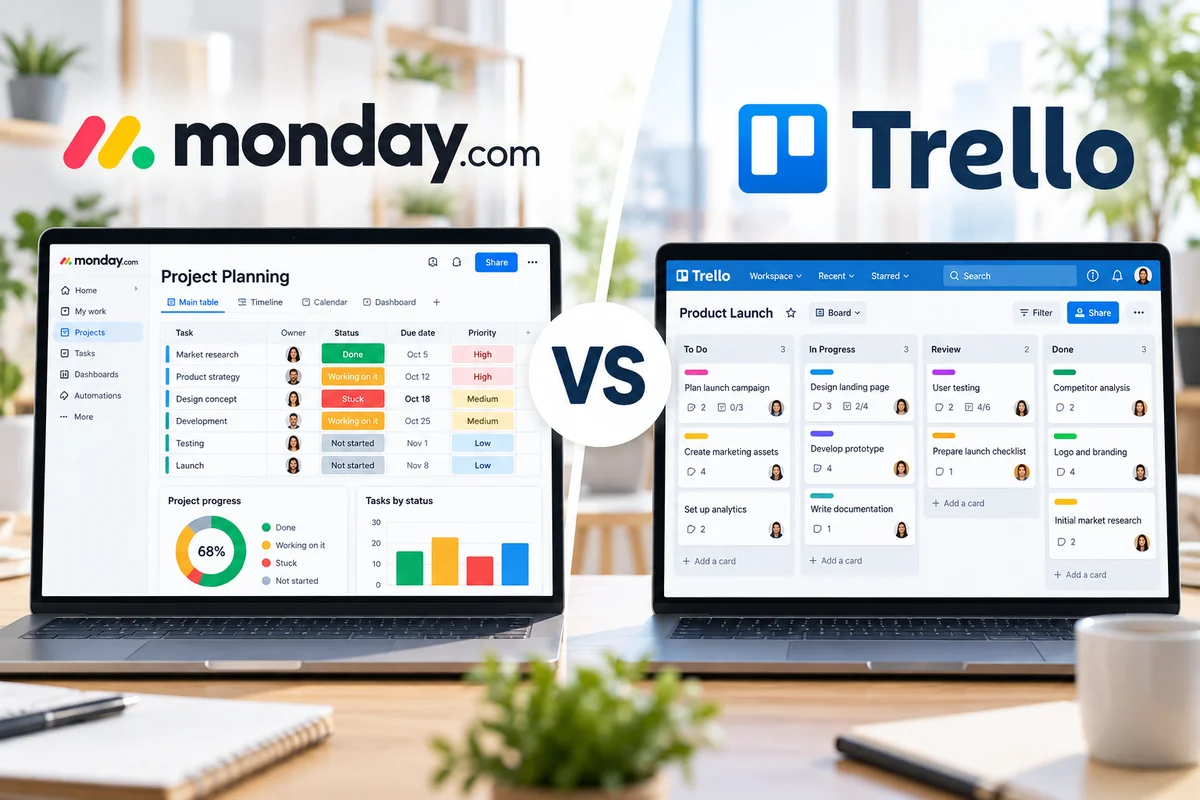
monday.com vs Trello is a comparison between two visual work management platforms that help teams organize tasks, track progress, and collaborate. However, they take different approaches to project management.
monday.com is designed for teams that want customizable workflows, structured project information, reporting dashboards, automations, and visibility across multiple projects. Trello focuses on an approachable board, list, and card system that makes it easy to see work moving through a process.
Both tools can support marketing campaigns, editorial calendars, operations, client work, and everyday task management. The better choice depends on how much structure your team needs, how quickly people must adopt the system, and what you are willing to spend.
In this monday.com vs Trello 2026 comparison, we examine ease of use, task management, views, dashboards, automation, collaboration, AI, pricing, and the types of teams each platform serves best.
Last updated: October 2026. Features and pricing were checked against official vendor information. Plan availability, promotional pricing, AI features, and billing terms may change.
Quick Verdict: monday.com vs Trello
Choose monday.com if your team needs structured workflows, customizable data fields, cross-project reporting, dashboards, and processes that involve several departments or stakeholders.
Choose Trello if your priority is a simple, visual task management system that team members can understand quickly and maintain without much administrative effort.
monday.com generally provides a more comprehensive environment for coordinating complex work. Trello provides a more straightforward starting point, with paid upgrades for advanced checklists, automation, additional views, and administration.
The important distinction is not whether a platform has more features. It is whether those features solve problems your team actually faces.
monday.com vs Trello at a Glance
| Category | monday.com | Trello | Key Difference |
|---|---|---|---|
| Core approach | Customizable work management platform | Visual board-based task management | monday.com emphasizes structured workflows; Trello emphasizes simplicity |
| Task management | Items, groups, columns, statuses, and owners | Boards, lists, cards, checklists, and members | Both track tasks with different organizational models |
| Ease of use | More configuration options | Simple starting experience | Trello is generally quicker to learn |
| Project views | Table, Kanban, Calendar, Timeline, Gantt, and other plan-dependent views | Board, with additional views on Premium | monday.com is more oriented toward structured project planning |
| Dashboards | Cross-board reporting and widgets | Dashboard view on Premium | monday.com offers broader reporting customization |
| Automation | Workflow automations and integrations | Board rules, buttons, and commands | Trello is approachable; monday.com supports broader process design |
| Documentation | Workdocs integrated with workspaces | Card descriptions, comments, and attachments | monday.com offers more native documentation options |
| Free plan | Up to 2 seats | Up to 10 collaborators per Workspace | Trello is more flexible for small free teams |
| Best fit | Growing teams and structured operations | Individuals and straightforward team workflows | Choose based on workflow complexity |
The Biggest Difference Between monday.com and Trello
The main difference between monday.com and Trello is how much structure they encourage teams to build around their work.
In monday.com, teams organize information through boards containing items, groups, and columns. Columns can represent owners, deadlines, priorities, statuses, numbers, and other project details. Teams can create different views, connect boards, and use dashboards to monitor work across several projects.
In Trello, a board usually represents a project or workflow. Lists represent stages, while cards represent individual tasks. A common setup might be Backlog → To Do → In Progress → Review → Done.
Both approaches are visual. However, Trello makes the movement of cards through stages the center of the experience, while monday.com encourages teams to structure and analyze more detailed work information.
For a deeper explanation of the platforms, read our monday.com project management guide and Trello project management guide.
Ease of Use and Initial Setup
Trello
Trello is usually easier to introduce to a team that has never used dedicated project management software.
Create a board, add lists, create cards, assign people, and start moving tasks through the workflow. Most users can understand the basic concept without lengthy training.
That simplicity can be especially valuable for volunteers, freelancers, small agencies, and teams where people use the software only occasionally.
As requirements grow, Trello can add Custom Fields, advanced checklists, card mirroring, automation, Power-Ups, and additional views through paid plans.
monday.com
monday.com also provides templates and visual boards, but it introduces more decisions about workflow structure.
A team may need to decide which columns to use, how status labels should work, whether different departments need separate boards, how dashboards should summarize progress, and which automations will save time.
This requires more planning, but it can produce a more consistent system for recurring operations.
Ease-of-use takeaway: Trello is generally simpler to adopt. monday.com can be more suitable when the organization is prepared to configure and maintain a structured work management system.
Task and Project Management
Both platforms can handle everyday tasks, but their project management capabilities are organized differently.
Managing Work in monday.com
monday.com lets teams track tasks and projects using customizable columns and multiple views. A marketing team could track campaign owner, priority, budget, due date, approval status, and launch progress within one board.
For larger workflows, connected boards and dashboards can help managers understand what is happening across projects.
Higher-tier capabilities can support dependencies, advanced workflow design, portfolio oversight, and resource planning. Exact availability depends on the purchased product and plan.
Managing Work in Trello
Trello uses cards to represent tasks and lists to organize progress. Cards can contain due dates, members, attachments, comments, checklists, labels, and other task details.
A content team might create lists for Ideas, Research, Drafting, Editing, Scheduled, and Published. A card moves forward as each stage is completed.
Standard adds features such as Custom Fields and advanced checklists. Premium provides additional perspectives, including Timeline, Table, Calendar, Dashboard, and Map views.
Project management takeaway: monday.com is more adaptable to workflows with many tracked attributes and reporting needs. Trello is particularly effective when work follows clear stages and the board itself provides enough visibility.
Project Views, Timelines, and Dashboards
One common mistake is to describe Trello as a tool that only supports Kanban boards. That is not accurate for its paid plans.
Trello Premium includes Calendar, Timeline, Table, Dashboard, and Map views. Workspace Table and Calendar views can also help teams see cards across multiple boards.
These features expand Trello beyond its basic board layout and can be useful for planning deadlines or reviewing several workflows.
monday.com takes a broader structured-data approach. Teams can use different views of their work and create dashboards that bring information together from connected boards.
Dashboards can display progress, workload, status distribution, and other metrics through configurable widgets. This can be valuable when managers need regular reports rather than only a view of individual tasks.
However, a dashboard is only as useful as the data behind it. Teams must keep statuses, owners, deadlines, and other fields consistent if they want reliable reporting.
Reporting advantage: monday.com for organizations that require configurable cross-project reporting. Trello Premium may be sufficient for teams needing simpler board and Workspace visibility.
Automation and Integrations
Automation can reduce repetitive updates, but the most useful automation is one that fits the way your team already works.
monday.com Automation
monday.com supports automations and integrations that respond to changes in boards and workflow data.
For example, a team could notify a project owner when a status changes, create follow-up work when a task reaches a particular stage, or coordinate information between connected tools.
The available actions, workflow limits, and integrations depend on the plan. Some advanced capabilities require higher tiers or additional usage allowances.
Trello Automation
Trello includes built-in no-code automation through rules, card buttons, board buttons, scheduled commands, and due-date commands.
For example, a team could automatically move a card after a checklist is completed, add a label when a card enters a list, or schedule recurring maintenance tasks.
Trello Free includes 250 Workspace command runs per month. Standard increases this to 1,000, while Premium includes unlimited Workspace command runs under the currently listed plan structure.
Automation takeaway: Trello makes board automation approachable. monday.com is attractive when automation needs to support more structured business processes and integrated workflows.
Collaboration and Documentation
Both tools keep conversations connected to work, but their documentation approaches differ.
monday.com provides item updates, file sharing, and workdocs. Teams can keep planning notes and supporting documents close to project boards, making it easier to connect discussion with execution.
Trello supports comments, descriptions, attachments, checklists, and member assignments inside cards. For many simple workflows, that provides enough context.
Teams with extensive process documentation may prefer monday.com’s integrated workdocs or may use a dedicated documentation platform alongside Trello.
Neither product automatically solves communication problems. Teams still need conventions for where decisions are recorded, who updates task status, and when work is considered complete.
monday.com AI vs Trello AI in 2026
Both products now offer AI functionality, but their implementations and pricing structures differ.
monday.com has expanded AI capabilities across its work management platform, including AI-assisted workflows, AI columns, and tools intended to help teams create, analyze, and organize work.
Trello includes AI features in its Standard and higher plans, with capabilities related to card content and task organization.
Before purchasing either platform primarily for AI, check whether the desired feature is included in your plan, whether usage credits apply, and whether it is available in your region or account.
AI can help reduce repetitive work, but it does not replace clear project ownership, accurate data, or a reliable review process.
monday.com vs Trello Pricing in 2026
Pricing is an important consideration because the lowest advertised per-user rate may not reflect the total cost of running a team.
| Platform | Plan | Listed Price | Primary Use |
|---|---|---|---|
| monday.com | Free | $0 | Up to 2 seats and basic boards |
| monday.com | Basic | From $9/seat/month, annual billing | Structured team work |
| monday.com | Standard | Check current quote | Expanded workflow and collaboration features |
| monday.com | Pro | From $19/seat/month, annual billing | Advanced workflows and reporting |
| monday.com | Enterprise | Custom quote | Large organizations and governance |
| Trello | Free | $0 | Up to 10 collaborators per Workspace |
| Trello | Standard | $5/user/month, annual billing | Unlimited boards and additional customization |
| Trello | Premium | $10/user/month, annual billing | Advanced views and Workspace oversight |
| Trello | Enterprise | From $17.50/user/month, annual billing | Enterprise administration and controls |
Pricing checked in October 2026. Figures are in USD and generally reflect annual billing where specified. monday.com displays promotional and account-dependent pricing; its final charge may vary with seat count, region, plan, taxes, and AI-related allowances. Confirm the checkout total before subscribing.
Free Plan Comparison
Trello Free currently supports up to 10 collaborators per Workspace, unlimited cards, and up to 10 boards per Workspace. It also includes basic automation and Power-Ups.
monday.com Free supports up to two seats and a limited number of boards and documents. It can be useful for testing the platform or managing individual and very small-team workflows.
For a team of five people that primarily needs shared task boards, Trello Free may be easier to use without an immediate subscription.
For a team exploring more structured processes, monday.com’s Free plan can serve as a starting point, but a paid plan may become necessary as collaboration and workflow requirements increase.
Free-plan takeaway: Trello is more generous for small-team collaboration based on its currently published collaborator limit. monday.com Free is better viewed as a limited introduction to its broader platform.
Which Tool Is Better for Different Teams?
Choose monday.com if:
- Your team manages several projects with different owners and deadlines.
- You need configurable dashboards and reporting.
- Your workflow involves detailed status, priority, budget, or other structured fields.
- Several departments need a consistent operating process.
- You expect to develop more complex automations and integrations.
- You are prepared to maintain a more configurable workspace.
Choose Trello if:
- Your workflow can be represented clearly with boards, lists, and cards.
- You want team members to get started with minimal training.
- You need an affordable task management solution.
- You prefer visual clarity over extensive configuration.
- You manage editorial calendars, simple campaigns, or lightweight operational processes.
- You do not need extensive portfolio-level reporting.
monday.com vs Trello for Small Businesses
Small businesses often need to balance functionality against subscription cost and administrative time.
Trello can be a practical option for a small business with straightforward workflows. A five-person team can organize tasks, assign owners, set due dates, and move work through stages without designing a complicated system.
monday.com becomes more attractive when the business needs consistent processes across sales operations, marketing, service delivery, and project execution.
For example, a growing agency may want to track clients, deliverables, approvals, deadlines, workload, and project health across multiple boards. Structured reporting can become increasingly useful as the number of projects grows.
However, buying a more sophisticated platform before the team needs it can create unnecessary expense and maintenance.
Start with the actual workflow, not the longest feature list.
Common Tradeoffs
monday.com Tradeoffs
monday.com’s flexibility requires planning. Inconsistent columns, duplicated boards, unclear status definitions, and overly complicated automations can make reporting harder rather than easier.
Paid seat requirements and advanced features can also increase the cost as the organization grows.
Trello Tradeoffs
Trello’s board-centered design can become less convenient when teams need deeply structured data, complex dependencies, resource management, or standardized reporting across many projects.
Premium views and Power-Ups help extend its capabilities, but they do not turn Trello into the same type of system as a fully configured monday.com workspace.
That limitation may not matter to a team whose work is already clear and easy to manage on boards.
How to Decide Between monday.com and Trello
- Map one real workflow. Identify the stages, owners, deadlines, and information your team needs.
- List required reporting. Decide whether a board view is sufficient or whether management needs dashboards across projects.
- Identify required views. Include the cost of Trello Premium if you need its Timeline, Dashboard, Table, Calendar, or Map views.
- Calculate total team cost. Account for seats, billing terms, integrations, and possible AI-related charges.
- Test automation. Build one repetitive workflow in each product and compare the setup and maintenance effort.
- Invite actual users. Ask people who will update tasks daily to test the system.
- Evaluate after two weeks. Look for missing updates, confusion, unnecessary clicks, and reporting gaps.
Final Verdict: monday.com or Trello?
The monday.com vs Trello decision comes down to structured work management versus simple visual execution.
monday.com is a strong fit for teams that need configurable workflows, detailed project information, dashboards, and coordination across several initiatives. Its broader capabilities can help growing organizations build more consistent processes.
Trello is a strong fit for teams that want to manage work visually without spending much time configuring the platform. Its board-first approach is easy to understand, while Standard and Premium provide additional customization, automation, and views.
Neither product is automatically the right choice for every team. The best system is the one people can use consistently and that provides enough visibility without unnecessary complexity.
For more detailed product analysis, read our monday.com Review 2026 and Trello Review 2026.