
Last reviewed: October 14, 2026
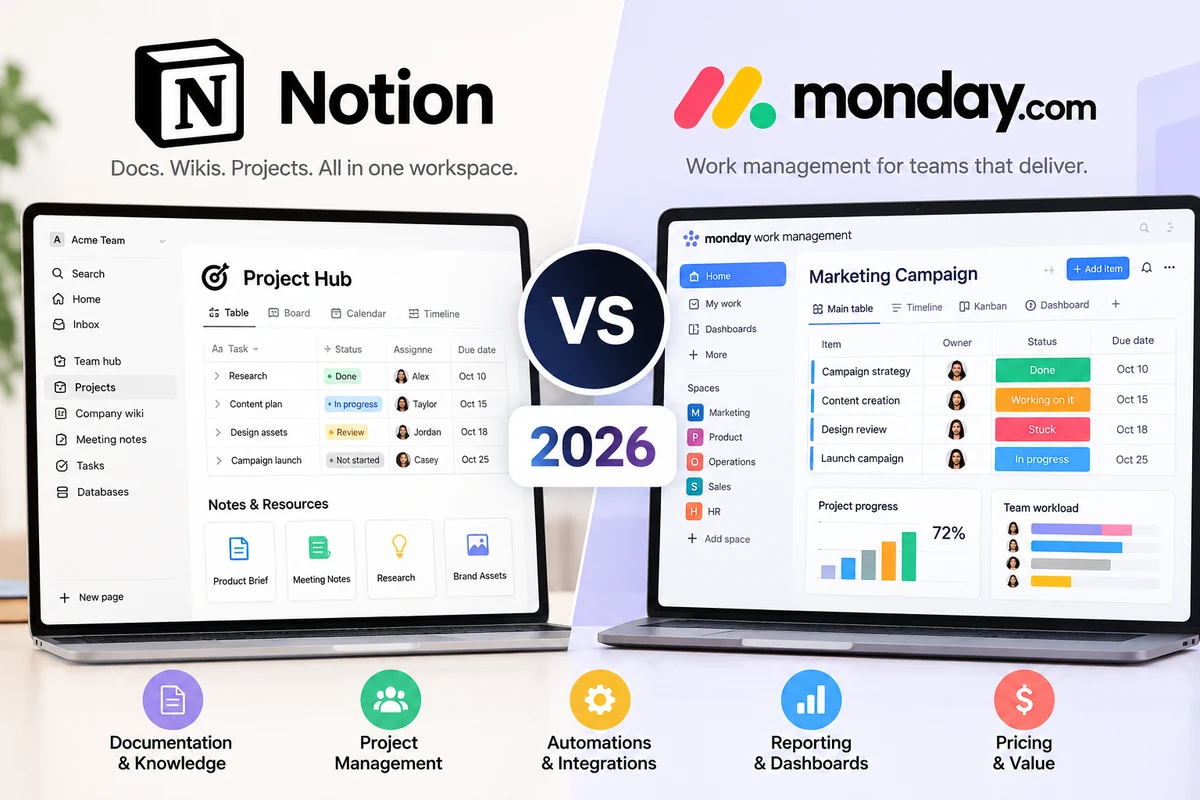
Choosing between Notion and monday.com is not simply a question of which platform has more features. Both can organize projects, track tasks, support collaboration, and reduce scattered information. However, they approach teamwork from different directions.
Notion combines documents, wikis, databases, and project tracking in a flexible workspace. monday.com focuses on visual work management, structured processes, automation, and operational visibility.
For freelancers, content creators, agencies, and growing businesses, the better choice depends on whether your biggest challenge is organizing knowledge or coordinating execution.
Quick verdict: Choose Notion if your team wants documentation, meeting notes, knowledge management, and customizable project databases in one place. Choose monday.com if you need clearer task ownership, repeatable workflows, visual reporting, and automated handoffs.
This comparison examines their features, pricing, limitations, and practical business use cases so you can make a more informed decision.
Notion vs monday.com at a Glance
| Category | Notion | monday.com |
|---|---|---|
| Core approach | Connected workspace for documents and databases | Visual work management platform |
| Best for | Knowledge-heavy teams and flexible workflows | Operations-focused teams and project coordination |
| Ease of setup | Simple to start, but advanced systems require design | Structured boards make common workflows easier to launch |
| Documents and wikis | Major strength | Available, but not the central focus |
| Task management | Flexible database-based tracking | Structured items, ownership, statuses, and timelines |
| Automation | Database automations and integrations | Extensive workflow automation |
| Reporting | Database views, charts, and dashboards | Visual dashboards and workload tools |
| Free plan | Available | Available for up to two users |
| Paid entry | Plus, $10/member/month annually | Basic, pricing varies by region |
| Main limitation | Too much flexibility can create inconsistency | Seat bundles and plan restrictions increase complexity |
These are product-level differences rather than a laboratory performance ranking. Actual capabilities depend on the selected plan and workspace configuration.
What Is Notion?
Notion is a connected workspace built around pages, blocks, and databases.
A page can contain text, tables, checklists, images, embedded files, meeting notes, or an entire project system. Databases can display information in different views, including tables, boards, calendars, and timelines.
For example, a small marketing agency could build a Notion workspace containing:
- A client information database
- A content production calendar
- Campaign briefs and research
- Standard operating procedures
- Meeting notes and decisions
- A task database connected to individual projects
Instead of keeping documents in one application and project information in another, the agency can link related information together.
This flexibility is Notion’s defining advantage.
However, a blank workspace also creates decisions. Someone must determine how databases relate, which properties are required, who maintains templates, and how teams should update their information.
Without those standards, a flexible workspace can become difficult to navigate.
For a detailed look at its alternatives, see our Asana Review 2026, which examines a more structured approach to task management.
What Is monday.com?
monday.com is a work management platform designed to help teams coordinate projects and operational processes.
Its central organizing unit is the board. Boards contain items, groups, and customizable columns for information such as status, owner, priority, deadline, and budget.
A business can use different boards for marketing campaigns, customer onboarding, hiring, product launches, and internal operations.
For example, a client onboarding board might contain these stages:
- New customer
- Documents requested
- Setup in progress
- Internal review
- Customer approval
- Completed
Team members can see who owns each item, what needs attention, and where work is delayed.
Automations can then support repetitive actions, such as notifying an account manager when a project moves to the approval stage.
monday.com also provides timelines, Gantt charts, dashboards, integrations, and more advanced capabilities depending on the subscription.
Its strength is making operational progress visible to the people responsible for delivering work.
Read our monday.com Review 2026 for a broader breakdown of the platform.
Ease of Use and Setup
Both products are approachable at a basic level, but their learning curves develop differently.
Notion: Easy to Start, Harder to Standardize
A new Notion user can create a page and begin writing immediately. This makes it particularly welcoming for notes, documentation, and personal organization.
The complexity appears when a team starts connecting databases, building permissions, and creating shared processes.
For example, one employee might track projects in a table while another creates separate pages for each project. Both approaches work, but inconsistent structures make company-wide reporting harder.
Notion benefits from a designated workspace owner who maintains database relationships, naming conventions, and templates.
monday.com: More Structure from the Beginning
monday.com starts with recognizable project-management components: boards, items, owners, deadlines, and status columns.
Templates help teams establish common workflows without designing an entire information architecture.
The interface becomes more complicated when users introduce multiple connected boards, advanced automations, permissions, and dashboards.
Verdict: Notion is easier for flexible documentation. monday.com generally offers a clearer starting point for teams that need a repeatable operational workflow.
Task and Project Management
Notion and monday.com can both manage projects, but they emphasize different needs.
Notion Project Management
Notion databases support task properties, assignments, due dates, subtasks, dependencies, and multiple views.
A project database can connect to meeting notes, briefs, research, and related tasks.
This is useful when understanding the work requires substantial context.
Consider a content marketing team preparing a product launch. Each campaign can connect directly to messaging documents, customer research, design references, and publishing tasks.
The team can keep the reasoning behind a decision close to the work itself.
The limitation is that more complex reporting and process control often require careful database design.
monday.com Project Management
monday.com emphasizes operational tracking.
Teams can assign owners, monitor status changes, visualize deadlines, and build dashboards that combine information from multiple boards.
Timeline and Gantt capabilities help managers identify overlapping work and schedule dependencies.
Higher-tier capabilities support more advanced workload and permission requirements.
This approach is particularly useful when several departments contribute to a shared delivery schedule.
Verdict: Choose Notion for projects closely connected to documentation and research. Choose monday.com for structured execution, handoffs, and management visibility.
Documents and Knowledge Management
This category is where the products differ most clearly.
Notion treats documentation as a central part of the workspace.
Teams can create internal wikis, policies, onboarding guides, meeting notes, project briefs, and searchable knowledge collections.
Pages can contain databases, and databases can link back to documentation. That creates a connected system rather than a collection of isolated files.
monday.com provides collaborative documents through monday workdocs, but its overall experience remains centered on managing work through boards.
A team that primarily needs a company handbook, research library, or connected knowledge base will generally find Notion more natural.
A team that primarily needs to move projects through defined stages may prefer monday.com and use its documents as supporting materials.
Winner for documentation and knowledge management: Notion.
Automations and Integrations
Automation matters when repetitive administrative tasks consume time.
Notion Automations
Notion supports database automations and connections with other services.
A team can use database changes to trigger supported actions and build lightweight processes around its information.
For example, an editorial database might automatically update a property or notify a team member when content reaches a particular stage, depending on available functionality and plan access.
Notion is useful when automation primarily supports an existing database workflow.
monday.com Automations
monday.com provides a more operations-oriented automation system.
Teams can configure rules around status changes, dates, notifications, assignments, and supported integrations.
A customer onboarding process might notify a manager when setup is complete or trigger the next handoff when an item changes status.
However, automation and integration allowances differ by plan.
A workflow that runs successfully during a small pilot might consume substantially more actions after the company expands.
Before purchasing, estimate how many automation actions the team will generate each month.
Winner for repeatable operational automation: monday.com.
Reporting, Dashboards, and Workload Visibility
Notion provides flexible database views and charting capabilities that help teams organize and summarize information.
For a small content operation, a database view showing planned articles, assigned writers, publication dates, and campaign categories may provide enough visibility.
monday.com places greater emphasis on operational dashboards and visual reporting.
Managers can combine information from boards and monitor project status, deadlines, and other indicators.
Advanced workload capabilities help teams identify capacity problems, although availability depends on the plan.
Consider a ten-person agency handling several client projects.
The agency needs to know which projects are delayed, who is responsible, and whether upcoming deadlines are realistic.
monday.com is generally better aligned with that reporting requirement.
Winner for operational dashboards and workload management: monday.com.
Notion vs monday.com Pricing in 2026
Pricing should be evaluated using the actual number of billable seats and the features your team requires.
Notion Pricing
Notion’s publicly listed USD prices for annual billing include:
| Plan | Price per Member/Month | Typical Fit |
|---|---|---|
| Free | $0 | Personal organization and basic testing |
| Plus | $10 | Small teams collaborating on documents and databases |
| Business | $20 | Growing teams needing advanced AI and administration |
| Enterprise | Custom | Organizations requiring enterprise controls |
Notion’s Free plan is useful for individual work, but collaboration and block restrictions can affect multi-member workspaces.
Plus expands collaborative capabilities. Business adds more advanced functionality, including expanded AI features.
monday.com Pricing
monday.com offers Free, Basic, Standard, Pro, and Enterprise options for its work management platform.
| Plan | Main Consideration |
|---|---|
| Free | Limited to two users |
| Basic | Essential board-based organization |
| Standard | Additional project views, integrations, and automations |
| Pro | Advanced permissions, workload features, and higher allowances |
| Enterprise | Organization-wide governance and custom arrangements |
Published per-seat prices vary by billing region and currency.
More importantly, monday.com uses seat bundles rather than charging for every exact team size.
For example, a four-person team may need a five-seat package, while a six-person team may need a ten-seat package.
That can materially change the actual cost of adopting the platform.
The Hidden Cost of Configuration
Subscription price is only one part of the calculation.
A team should also consider:
- Paid seats that are not actively used
- Automation or AI usage limits
- Integrations and additional software
- Workspace setup and administration
- Training time
- Reporting requirements
- Time spent correcting inconsistent data
A lower subscription price does not necessarily mean a lower total operating cost.
Pricing verdict: Notion can be attractive for documentation-focused teams with straightforward membership needs. monday.com may justify a higher total bill when structured workflows and automation reduce substantial administrative work.
Always verify current pricing directly with Notion and monday.com before purchasing.
AI Features: Which Approach Is More Useful?
Both platforms are expanding their AI capabilities, but they apply AI to different types of work.
Notion’s AI capabilities are closely connected to documents, workspace information, and knowledge retrieval.
This can help teams summarize material, draft content, locate relevant information, and work with knowledge stored across the workspace.
monday.com emphasizes AI assistance within work management, including workflow creation, process support, and AI-powered functionality connected to boards.
For a research-heavy company, Notion’s knowledge-oriented approach may be more valuable.
For an operations-heavy company, AI capabilities that support structured processes may be more useful.
However, AI availability, included credits, and consumption-based charges can change.
Do not assume that an advertised AI feature is unlimited or included in every paid plan.
Evaluate the actual tasks your team wants AI to perform and calculate the expected usage.
Which Tool Is Better for Different Teams?
Freelancers and Solo Creators
Recommended: Notion
A freelancer often needs proposals, project notes, client information, content calendars, and task tracking in one place.
Notion can organize those resources without requiring a highly structured operations platform.
Small Marketing Teams
Recommended: Depends on workflow
Choose Notion if the team primarily manages research, briefs, content libraries, and editorial planning.
Choose monday.com if the team coordinates many deadlines, approval stages, external contributors, and campaign handoffs.
Agencies Managing Multiple Clients
Recommended: monday.com for delivery operations
Agencies frequently need standardized onboarding, project ownership, deadline monitoring, and progress reporting.
monday.com is particularly suitable when managers need visibility across many active client projects.
Notion can still serve as a useful documentation layer.
Startups Building Internal Knowledge
Recommended: Notion
Startups often need a central place for product specifications, decisions, meeting notes, onboarding information, and operating procedures.
Notion can connect that information to lightweight project tracking.
Operations Teams with Repeatable Processes
Recommended: monday.com
Teams handling recurring requests, approvals, assignments, and status-based workflows are more likely to benefit from monday.com’s structured boards and automation capabilities.
Real-World Workflow Example: A Product Launch
Imagine a small software company preparing to launch a new product.
The project involves marketing, design, customer support, and development.
Using Notion
The team creates a central product launch page.
That page links to market research, positioning documents, product requirements, FAQs, and a launch task database.
Every task can reference the documents that explain why the work matters.
This approach keeps project context organized and accessible.
Using monday.com
The team creates a launch board with tasks, owners, deadlines, priorities, and status columns.
Managers monitor dependencies, review progress, and automate selected handoffs.
Dashboards help stakeholders see which activities are complete and which are delayed.
This approach emphasizes coordination and delivery.
What the Example Reveals
Notion is particularly strong at connecting the knowledge behind the launch.
monday.com is particularly strong at coordinating the work required to deliver it.
Neither approach is universally better.
The right choice depends on where your team experiences the greatest friction.
Common Mistakes When Choosing Between Notion and monday.com
Choosing Based Only on the Feature List
Both products have many overlapping features.
The existence of a calendar or automation tool does not mean it will fit your actual workflow.
Test the specific process your team performs every week.
Ignoring Setup Ownership
Notion needs consistent database and documentation standards.
monday.com needs clear board ownership, automation governance, and reporting conventions.
Without an owner, either platform can become cluttered.
Comparing Advertised Prices Instead of Checkout Totals
Seat bundles, billing cycles, paid features, and AI allowances affect real costs.
Calculate the amount your company will actually pay.
Automating a Broken Process
Automation does not fix unclear responsibilities.
Before creating rules, make sure everyone agrees on the workflow stages and the meaning of each status.
Moving Everything at Once
Migrating every project, document, and process increases risk.
Start with one representative workflow and expand only after the team has tested it.
How to Choose: A Practical 7-Day Trial
Instead of making a decision from screenshots, test the same process in both platforms.
Day 1: Select one real project and identify the desired outcome.
Day 2: Create the project structure, tasks, owners, and deadlines.
Day 3: Add documentation and relevant supporting information.
Day 4: Configure one useful automation.
Day 5: Invite colleagues and collect feedback on ease of use.
Day 6: Create a progress report for a manager or client.
Day 7: Compare total costs, setup effort, reporting clarity, and team adoption.
Ask three questions at the end:
- Can contributors understand what to do without extensive training?
- Can managers identify delays without asking for manual updates?
- Can the team maintain the system consistently over the next six months?
The platform that answers these questions more effectively is likely the better fit.
If you are also evaluating task-oriented alternatives, our Asana vs ClickUp 2026 comparison explores structured project management versus deeper customization.
For teams considering simpler visual boards, see our Trello Project Management Guide 2026.
Frequently Asked Questions
Is Notion Better Than monday.com?
Notion is generally better for documentation, connected knowledge, and customizable databases. monday.com is generally better for structured operational workflows, automation, and project reporting.
Can Notion Replace monday.com?
It can for teams with relatively simple project-management needs. Organizations that rely heavily on operational dashboards, standardized handoffs, or advanced workload management may find monday.com more suitable.
Is monday.com Easier to Use Than Notion?
monday.com can be easier for teams adopting a standard project workflow. Notion is easier for basic note-taking and documentation, but complex database systems require more planning.
Which Is Cheaper for Small Teams?
The answer depends on the number of members, billing cycle, and required features. monday.com’s seat bundles can make its actual bill higher than the advertised per-seat rate.
Can a Company Use Both Notion and monday.com?
Yes. Some teams use Notion for documentation and knowledge management while monday.com handles operational project execution. However, maintaining two systems requires clear rules about where information belongs.
Final Verdict: Notion or monday.com?
Choose Notion if your team needs a flexible workspace where documents, research, company knowledge, and projects connect naturally.
It is particularly suitable for freelancers, creators, startups, and teams whose work depends heavily on information and collaboration around documents.
Choose monday.com if your team needs structured project execution, repeatable workflows, visual reporting, and operational automation.
It is especially compelling for agencies, operations teams, and growing organizations managing multiple projects and responsibilities.
For a small knowledge-focused team, Notion is the stronger starting point.
For a growing operations-focused team, monday.com is often the better choice.
Ultimately, the best software is not the platform with the longest feature list. It is the one your team can adopt, maintain, and use consistently.